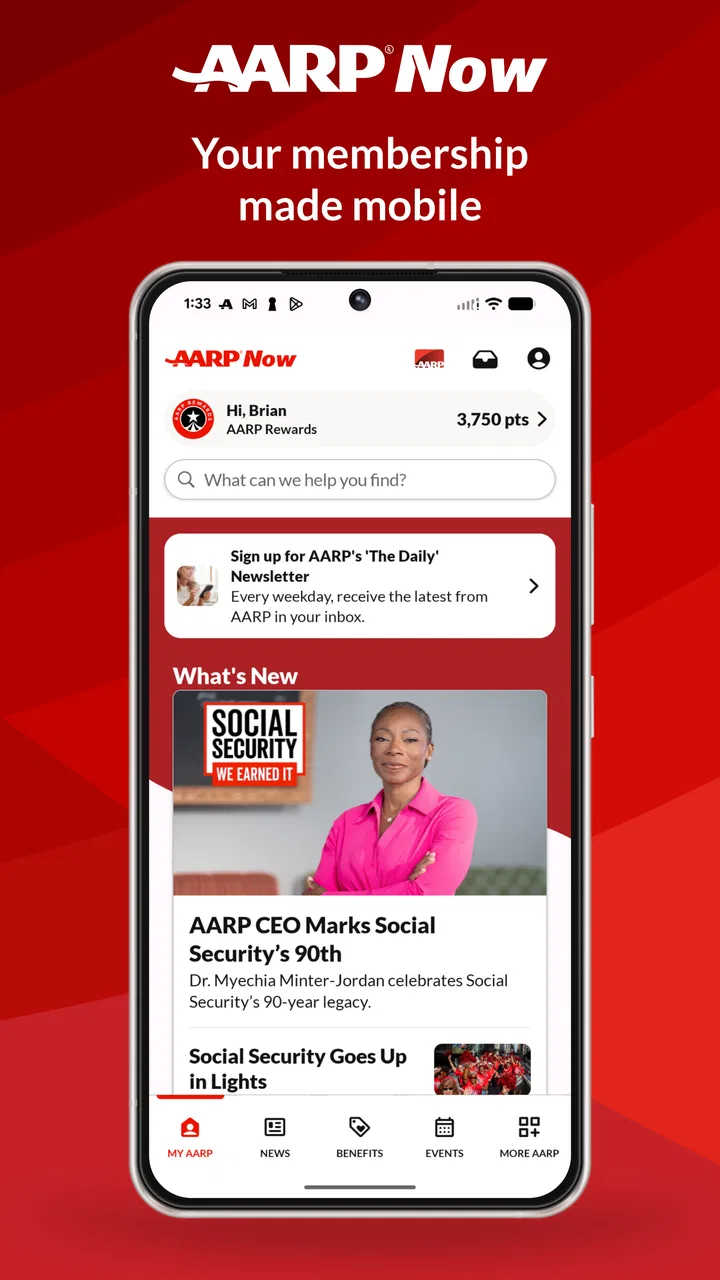
AARP Now
- 4.7
- Rating
- 5.00M
- Installs
- Free
- Price

 Analysis by App-foxy
I approached AARP Now as a practical lifestyle app rather than something I would open constantly throughout the day. Its purpose is to bring AARP-related news, events, and savings into one mobile experience, and that combination makes it more useful when I have a specific reason to check it. I can look for something timely, browse opportunities connected with everyday life, or use it as a convenient place to keep up with AARP content instead of moving between unrelated websites.
The app is free to download, is made by AARP, and is rated for Everyone. It has been available since 2011, so it is not a new experiment trying to prove its value. The current release is version 4.6.0, and it works on operating systems from version 9 onward. In the lifestyle category, it stands out less because of flashy design and more because it gathers several AARP-oriented activities in one place.
My overall impression is positive, but I would not recommend installing it without thinking about how you will use it. The strongest experience comes from treating it as a focused information and savings companion. If you only want general news, a mainstream news reader may be faster. If you only want discount hunting, a dedicated coupon or membership app may feel more direct. The appeal here is the combination.
You May Also Like

 Blood Strike: 2.5 Anniversary
Blood Strike’s Loadouts Turn Every Drop Into a Tactical Gamble
A close look at Blood Strike’s custom loadouts: how fast access to signature weapons reshapes its battle royale rhythm, rewards preparation, and narrows the gap between fights.

 Pandora - Music & Podcasts
Pandora’s Music Is Easy to Start, but Harder to Recover
Pandora’s strength is its low-effort path from a seed to a station. Its weak spot is how much confidence it asks you to place in connection, setup, and quiet recovery.

 8 Ball Pool
 Is Built on Rivalries, Rematches, and Routine
A close look at the rivalries, rematches, shared routines, and unanswered safety questions that turn a quick pool match into a persistent mobile community.

 Samsung Music
’s Quiet Strength Is Playing What You Already Own
Its reach comes less from spectacle than from dependable access to a personal library. That simplicity is both the app’s strongest retention engine and its ceiling.

 AccuWeather: Weather Radar
AccuWeather Review: A Quick, Clear Forecast for Everyday Decisions
For everyday plans, the best forecast is the one you can understand quickly. AccuWeather makes rain timing, radar, and local conditions easy to act on, with a few trade-offs.

 Hill Climb Racing
Why Hill Climb Racing Still Turns Crashes Into One More Run
A tiny car, a bumpy hill and one more upgrade: Hill Climb Racing keeps resurfacing because its simple chaos makes every near-miss feel personal.
More From Our News Desk



Where the first-use experience can become confusing
The biggest source of friction is not necessarily a broken feature. It is the question of where to begin. A user opening the app for the first time may expect one obvious task, but AARP Now covers several kinds of content. News, events, and savings do not always require the same browsing habit, so the app can feel broader than a single-purpose tool.
I found it helpful to decide what I wanted before tapping around. If I was looking for something to read, I treated the app as a news and information feed. If I wanted to find a useful opportunity nearby or plan something, I approached it as an events tool. When I was checking whether an AARP-related saving could help with an ordinary purchase, I ignored the editorial material and concentrated on the savings area. That simple change in mindset made the interface easier to understand.
This matters because a broad app can create a false impression that there is too much content. In reality, the problem may be that the user is scanning everything instead of choosing one purpose. I would give the app a few minutes of deliberate exploration rather than judging it from the first screen. Look at how the major areas are organized, then return to the one that matches your reason for installing it.
Another possible sticking point is expecting every item to behave like a standard article. News is normally read immediately, while events require more attention to timing and location, and savings may require checking conditions before acting. I would not assume that seeing an offer or event in the app automatically completes the next step. Read the surrounding details and follow the relevant instructions before making plans or purchases.
The useful habit is to separate discovery from decision-making. Use the app to discover a story, event, or saving first. Then pause and confirm that it actually fits your needs. This is especially important with savings, where the most attractive headline may not be the most useful option for a particular purchase.
Why the app can feel better than separate sources
Using separate services for these tasks has an obvious advantage: each one is usually optimized for a narrow purpose. A news app may offer a faster reading experience, a calendar app may be better for scheduling, and a discount service may provide a larger range of deals. AARP Now is more convenient when I want one AARP-centered place for all three types of information.
That convenience comes with a trade-off. A combined app may ask me to move between different content styles, and the best result depends on how well I filter my attention. I would choose it over several separate sources when I value AARP context and want a single starting point. I would choose a specialist alternative when speed, depth, or broad comparison matters more than that central hub.
Setup checks that prevent avoidable problems
Before assuming the app is malfunctioning, I would start with the basics. The minimum operating system requirement is version 9, so an older device may be the first explanation if installation or updating is unavailable. On a supported phone or tablet, I would also check that the operating system is current enough for other installed apps and that the device has room to complete an update.
Because the app brings together content that can change, a reliable internet connection is important. If a page loads slowly, a feed appears incomplete, or an event section does not refresh, I would test another connection before changing settings. Moving briefly between Wi-Fi and mobile data can show whether the problem follows the app or remains tied to the network.
I would also close the app fully and reopen it after a failed load. That sounds basic, but it is a sensible first recovery step for a feed-based application. If the problem continues, restarting the device is worth trying before reinstalling anything. Reinstallation should be a later step, not the automatic response, because it can interrupt a session and remove locally stored app information.
Notifications deserve a quick review as well. If I am expecting timely news or event reminders and nothing appears, I would check the phone’s notification settings and the app’s own available controls. A silent or restricted notification setting can look like an app failure even when the content is available inside the app. I would also check whether the phone is using a general focus, battery-saving, or do-not-disturb mode that limits alerts.
For privacy and comfort, I would review any request that appears during setup rather than approving everything automatically. The right choice depends on how I intend to use the app. Someone who wants occasional reading may prefer fewer interruptions, while someone who wants timely event information may value more alerts. The important point is to make the choice deliberately and revisit it if the app becomes noisy or too quiet.
The free download makes trying it low-risk, but the presence of in-app purchases ranging from twenty dollars to seventy-nine dollars per item means I would still pay attention at any point where a transaction is presented. I would distinguish between browsing information and committing money. If an item leads outside the simple reading experience, I would review the price and terms shown on screen before continuing, especially when using a shared device or account.
A simple setup routine I would use
Confirm that the device meets the operating system requirement and has enough free space for installation or updating.
Open the app on a stable connection and spend a moment identifying the news, events, and savings areas.
Choose notification settings based on whether timely updates matter to you.
Test one small task, such as opening an article or browsing an event, before relying on the app for something time-sensitive.
Keep the app updated through the normal app-store process so that troubleshooting is not complicated by an old release.
This routine is more useful than immediately searching for advanced fixes. It establishes whether the core experience works and gives me a clear reference point if something later stops loading.
Recovering when a normal workflow breaks
A realistic example is planning a weekend activity. I might open the app to look for an event, find something that sounds suitable, and then discover that the details do not load correctly. My first move would be to return to the main area and reopen the item, rather than repeatedly tapping the same control. If it still fails, I would check the connection, close and reopen the app, and try again later.
If an article or event page opens but behaves strangely, I would avoid rapidly repeating actions. Multiple taps can make it difficult to tell whether the app is slow or whether the action was already accepted. Waiting briefly, navigating back once, and reopening the content gives a cleaner test. This is a small but useful habit on any app that loads changing information.
When a savings workflow is involved, I would record the important details before leaving the page. I might note the name of the offer, the relevant conditions, and what I need to do next. That is not a substitute for following the current instructions, but it prevents a frustrating situation where I remember the general idea and lose the exact requirement after the app refreshes.
I would also separate an app problem from an account or transaction problem. If content is visible but a purchase, membership-related action, or external step does not complete, the issue may not be the reading interface itself. I would check the screen for an error message, confirm that the payment or account information is correct, and avoid repeatedly submitting the same action. If money may have been involved, I would keep any confirmation details for support.
Reinstalling can help with corrupted local app data, but I would use it carefully. Before doing so, I would make sure I know how I normally sign in and that I will not lose access to anything important. After reinstalling, I would test the simplest function first rather than trying to recreate every setting at once. This makes it easier to identify whether the fresh installation solved the issue.
One of the more useful troubleshooting insights is to test the same task at different times. A temporary content or network problem can look like a permanent defect if I only try once. If reading works but an event page fails, that points toward a specific content path rather than a total app failure. If nothing loads anywhere, the connection, service availability, or device environment becomes more likely than one isolated screen.
How I would keep the workflow manageable
I would use the app in short sessions with a clear goal. For news, I would read what is relevant and leave rather than treating the feed as an endless replacement for every source of information. For events, I would gather the details I need and then place the plan in my usual calendar or notes system. For savings, I would compare the opportunity with the purchase I already intended to make instead of letting the availability of a deal create unnecessary spending.
That last point is important. A savings feature is valuable only when it supports a real need. The app can help me notice an opportunity, but it cannot decide whether the purchase is sensible. I would use it as a prompt to compare options, not as a reason to buy something I did not want.
When the app is not the cause of the trouble
Some apparent failures come from the phone rather than AARP Now. A nearly full device can make updates and temporary loading less reliable. An unstable network can interrupt changing content. Aggressive battery management can delay notifications. Incorrect date, time, or location settings may also make event information less useful, particularly when I am trying to plan something in a different area.
I would check those conditions before blaming the app. Opening another internet-dependent app is a quick way to see whether the connection is generally working. If several apps are slow, the network or device deserves attention. If only one section inside AARP Now is affected while other areas work, the problem is more likely limited to that workflow.
Location is another practical consideration. An event that looks appealing may not be convenient if the app or my search context is focused on the wrong place. I would verify the location details instead of assuming that the first visible result is nearby. For travel or a visit to another region, I would search with that destination in mind and double-check dates before making arrangements.
Content freshness can also affect expectations. News and events are time-sensitive by nature, while savings may depend on current conditions. I would refresh the relevant area and read the details shown at the moment I intend to act. I would not rely on an old screenshot, a remembered headline, or a saved assumption that an offer or event remains unchanged.
The app’s large audience suggests that it has broad appeal: it has passed five million installs, carries an average rating of 4.7 from roughly sixty-two thousand ratings, and has about six thousand nine hundred written reviews. Those figures make it reasonable to take seriously, but they do not guarantee that every device, network, or personal workflow will feel equally smooth. A highly rated app can still be the wrong fit for someone who wants a very specialized tool.
I would skip it if I have no interest in AARP-related information, events, or savings. I would also look elsewhere if I need a powerful general news reader, a full personal calendar, or a broad deal-comparison service. The app is not a universal replacement for those categories. Its value comes from the connection between its AARP-focused content areas.
My practical verdict after using it
I see AARP Now as a useful companion for people who want AARP news, events, and savings within one familiar mobile destination. The free price makes it easy to test, and the Everyone rating makes its intended audience broad. I especially like the way it can support a simple routine: check relevant news, look for something useful to do, and review potential savings without opening several unrelated services.
My recommendation comes with a condition: use it intentionally. The app is easier to appreciate when I enter with a task, confirm details before acting, and treat offers as information rather than automatic reasons to spend. I would also complete the basic setup checks early, because connection problems, notification restrictions, and an unsupported operating system can create confusion that has nothing to do with the app’s actual usefulness.
The most practical workflow is to use AARP Now for discovery, then move the result into the tool that handles the next step best. I might read an article in the app, save an event to my normal planning system, or compare a saving with another option before buying. That approach respects both the app’s strength and its limits.
For me, the deciding question is not whether it replaces every lifestyle app. It does not need to. The better question is whether having AARP-centered information, events, and savings together would make everyday planning simpler. If the answer is yes, AARP Now is worth trying. If I only need one narrow function, a specialist alternative will probably feel faster and less distracting.
FAQs for AARP Now
01What features does AARP Now offer to its users?
AARP Now provides a wide range of features including the latest news relevant to seniors, events listings, and exclusive member benefits such as discounts and offers. The app also includes a digital version of the AARP magazine and personalized alerts for upcoming events and member-only promotions.
02Is the AARP Now app free to download and use?
Yes, the AARP Now app is free to download on both Android and iOS platforms. While the app itself is free, access to certain features and discounts may require an AARP membership, which is a separate subscription service. Membership provides a range of benefits beyond the app.
03How user-friendly is the AARP Now app for seniors?
The AARP Now app is designed with seniors in mind, featuring a simple and intuitive interface. The app uses large fonts and clear navigation to ensure ease of use. Additionally, it provides accessibility options to cater to users with different needs, enhancing its overall usability for older adults.
04Can I access AARP member-exclusive benefits through the app?
Yes, AARP Now allows members to access exclusive benefits directly through the app. Users can view and redeem discounts, offers, and other perks available to AARP members. The app also provides notifications for new deals and benefits, ensuring members stay informed.
05Does AARP Now require an internet connection to function?
While certain features of AARP Now, such as reading articles and accessing local events, require an internet connection, other features like saved content can be accessed offline. However, to fully utilize the app’s capabilities, including receiving updates and notifications, an internet connection is recommended.
Pros
- User-friendly interface for easy navigation.
- Real-time news updates and alerts.
- Exclusive member discounts available.
- Health and wellness tools included.
- Personalized content recommendations.
Cons
- Limited features for non-members.
- Some content requires a strong internet connection.
- Occasional app crashes reported by users.
- In-app ads can be intrusive.
- No offline mode for articles.

AARP Now
Gallery